
Define Goals and Mark Them as Achieved
Many users track specific milestones or interim goals when working with CentralStationCRM. You can create these goals in the account settings under “Manage goals” so that they can be marked as achieved in your contacts' histories.
Important: You must have at least co-owner rights to access the goal management and analytics sections. |
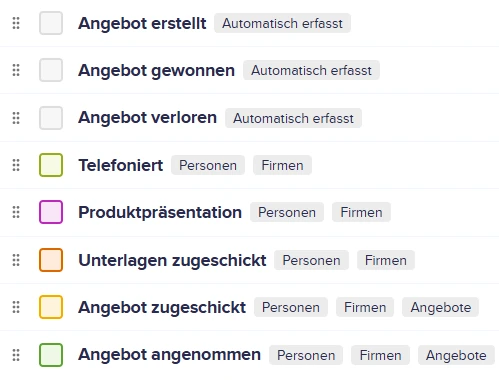
Neben den selbst erstellten Zielen gibt es auch angebotsbezogene Ziele, die automatisch erfasst werden.
Here, you can also specify which CRM items they should be added to — contacts, companies, and/or deals.
The goals will appear below the note field in the histories of contacts, companies, and/or deals.
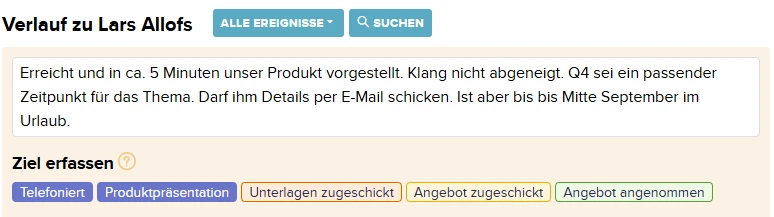 Erfasse eine oder mehrere Zielerreichungen bei der Eingabe einer Notiz.
Click on a goal to mark it as completed and save the note.
This makes it easy to see in your contacts' or offers' histories whether and when a goal has been achieved.
Analysis: Evaluating Goal Achievement
To track your progress, you can review your progress toward your goals. On the Status page, there is a link to this section in the right-hand column:
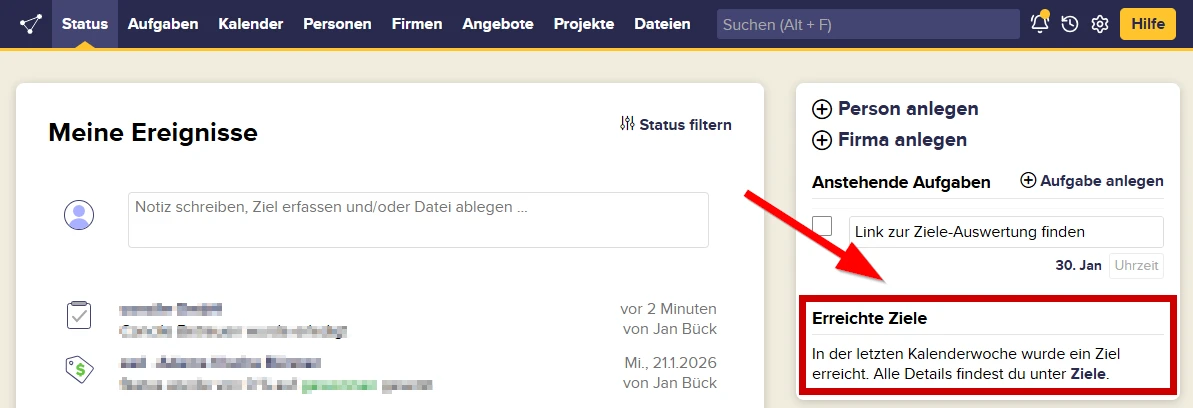
There, you'll see the number of each goal you've achieved within a specific time period:
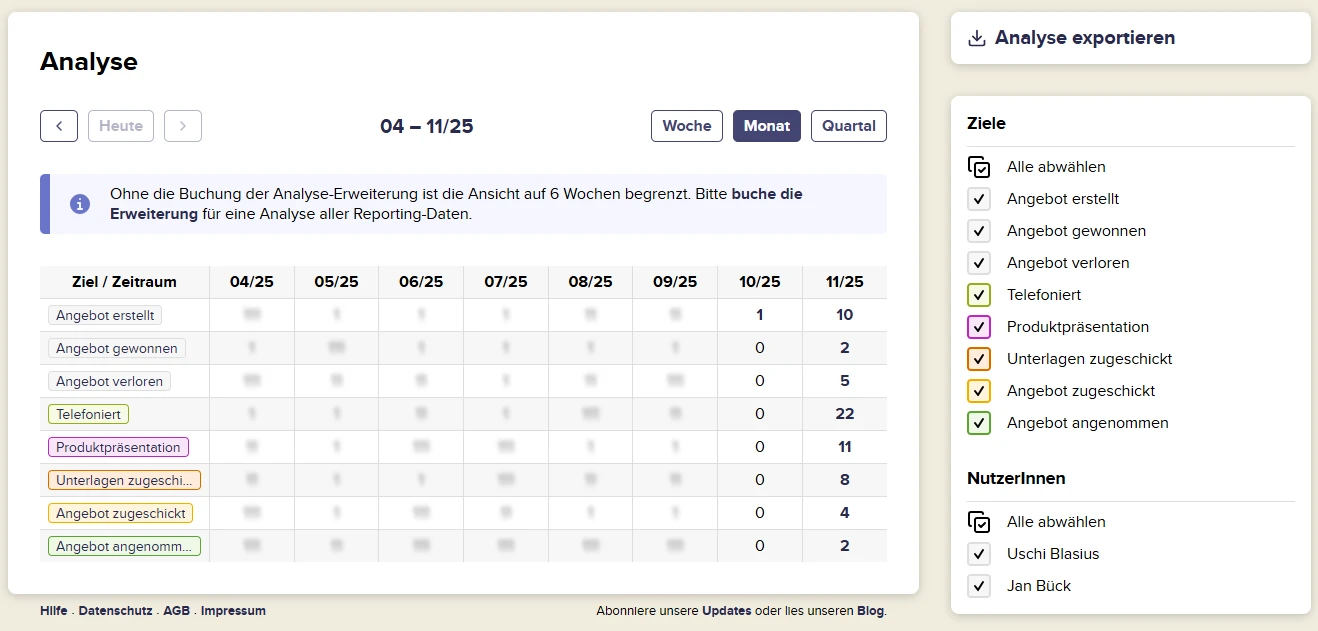 Wähle ein Zeitintervall, filtere einzelne Ziele und User und mache bei Bedarf einen Excelexport.
The available time intervals for which the number of achieved goals is tallied are week, month, and quarter. In the right-hand column, you can show or hide individual goals and filter by user. You can also export your selection to Excel for further use.
The individual numbers in the overview are clickable. This allows you to see for which contacts or deals the respective goal was achieved and what note, if any, was added. You can also see the date the goal achievement was logged and by which user.
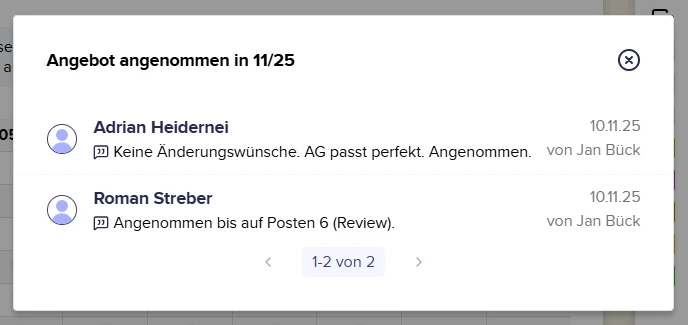
Das sind die Details zu den zwei Zielerreichungen "Angebot angenommen" im ausgewählten Zeitraum.
Viewing your goal progress for the past six weeks is free. To remove the time limit, you must purchase the extension. Purchasing the extension also adds your goals as a navigation item in the main menu at the top.